
Best ASUS Laptop for Video Editing (2026): 14 Picks
The top pick for video editing in this ASUS guide is the ASUS TUF 18 AI listing with 64GB of RAM and 2TB of storage: the most stated memory in the list, on an 18-inch screen that shows a long timeline at once. The guide draws from a pool of ASUS laptops whose graphics line names an RTX card, and compares each pick on the details the seller states: RAM, graphics name and memory, storage, screen size, weight and operating system. Live prices are printed next to each pick.
14 picks from 52 laptops that match this guide with a price we can quote today. Every price below is live and carries the moment it was read.
The picks at a glance
Which one should you buy?
- For 4K wedding or event footage: Large 4K clips take up storage and memory. A pick with 64GB of RAM and 2TB of storage, like the top ASUS TUF 18 AI, leaves room for a long timeline and a big footage library on one machine. See pick 1
- For a weekly vlog: A vlog with short clips and phone-shot footage needs less memory and storage. The ASUS V16 at 1.95kg stated weight is easier to carry between shoots. See pick 14
- For long documentary or film projects: A long project with many tracks and graphics-heavy effects calls for more memory and the most stated graphics memory. The ROG Strix G18 with an RTX 5070 Ti and 12GB of stated graphics memory is the pick built around that. See pick 3
- For editing in a hotel room between shoots: When the machine travels with you, a lighter stated weight matters. The ROG Strix G16 (2026) at 1.76kg is the lightest pick in this guide, with 32GB of RAM. See pick 10
The 14 picks
1 64GB RAM and 2TB storage

ASUS TUF 18 AI Gaming Laptop
- CPU
- AMD Ryzen 7 260
- GPU
- GeForce RTX 5060
- GPU memory
- 8 GB
- RAM
- 64 GB
- Storage
- 2000 GB
- Screen
- 18 in
- Refresh
- 144 Hz
- Weight
- 2.6 kg
$2,679.00 (as of 11/01/2026 21:49 PST - Details)
It states 64GB of RAM, more than any other pick in this guide, and 2TB of storage, tied for the most here. Its RTX 5060 line names 8GB of stated graphics memory. Under the ordering rule, the most stated RAM ranks first.
Pros
- 64GB RAM, the most in this guide
- 2TB storage, tied for the most here
- 8GB stated graphics memory on an RTX 5060
- 18-inch screen with 144Hz refresh
Cons
- 2.6kg stated weight
- Shares a base configuration with other TUF 18 AI listings; read the listing
Good fit if
- Editors with long timelines and large footage libraries
- Anyone who wants 64GB of RAM and 2TB on one machine
Skip if
- Someone who wants a lighter carry than 2.6kg
- Someone who prefers a 16-inch screen
Verdict: The ASUS TUF 18 AI with 64GB of RAM and 2TB of storage is the top pick for editors who want the most stated memory in this guide.
2 64GB RAM with 1TB storage

ASUS TUF 18 AI Gaming Laptop
- CPU
- AMD Ryzen 7 260
- GPU
- GeForce RTX 5060
- GPU memory
- 8 GB
- RAM
- 64 GB
- Storage
- 1000 GB
- Screen
- 18 in
- Refresh
- 144 Hz
- Weight
- 2.6 kg
$2,479.00 (as of 11/01/2026 21:49 PST - Details)
It matches the top pick's 64GB of RAM and 8GB of stated graphics memory, but states 1TB of storage instead of 2TB. That places it second under the rule of most stated storage after RAM and graphics memory.
Pros
- 64GB RAM, tied for the most here
- 8GB stated graphics memory
- 18-inch screen
- Windows 11 Pro stated
Cons
- 1TB storage, half of the top pick's 2TB
- 2.6kg stated weight
Good fit if
- Editors who want 64GB of RAM and keep footage on an external drive
- Anyone who wants the 18-inch screen of the top pick at less storage
Skip if
- Someone who wants 2TB built in
- Someone who wants a lighter machine
Verdict: This TUF 18 AI gives an editor the same 64GB of RAM as the top pick with 1TB of stated storage.
3 Most stated graphics memory: 12GB

ASUS ROG Strix G18 18” Gaming Laptop
- CPU
- Intel Core Ultra 9 275HX
- GPU
- RTX 5070 Ti
- GPU memory
- 12 GB
- RAM
- 32 GB
- Storage
- 2000 GB
- Screen
- 18 in
- Refresh
- 240 Hz
- Weight
- 3 kg
$3,199.99 (as of 11/01/2026 21:48 PST - Details)
Among 32GB picks, it ranks first because it states 12GB of graphics memory, the most in this guide. It also states 2TB of storage, an 18-inch 240Hz screen and Windows 11 Pro.
Pros
- 12GB stated graphics memory, most in this guide
- 32GB RAM
- 2TB storage
- 18-inch 240Hz screen
Cons
- 3kg stated weight, heaviest in this guide
- RAM is below the 64GB picks
Good fit if
- Editors who want the most stated graphics memory here
- Anyone building graphics-heavy timelines with 32GB of RAM
Skip if
- Someone who wants 64GB of RAM
- Someone who wants a lighter carry than 3kg
Verdict: The ROG Strix G18 with an RTX 5070 Ti leads the 32GB group on 12GB of stated graphics memory.
4 8GB stated graphics memory and 32GB RAM

ASUS TUF 16" FHD+
- CPU
- Intel Core i7-14650HX
- GPU
- GeForce RTX 5060
- GPU memory
- 8 GB
- RAM
- 32 GB
- Storage
- 1000 GB
- Screen
- 16 in
- Refresh
- 165 Hz
- OS
- Windows 11
$2,314.01 (as of 11/01/2026 21:49 PST - Details)
It is the second 32GB pick with a stated graphics memory figure, at 8GB on an RTX 5060. Its 1TB storage and 16-inch 165Hz screen set it against the 18-inch models above it.
Pros
- 8GB stated graphics memory
- 32GB RAM
- 16-inch 165Hz screen
- 1TB storage
Cons
- Weight not stated by the seller
- 1TB storage, below the 2TB group
Good fit if
- Editors who want a stated graphics memory figure on a 16-inch screen
- Anyone who wants 32GB of RAM in a TUF listing
Skip if
- Someone who wants more than 1TB stated storage
- Someone who wants an 18-inch screen
Verdict: The ASUS TUF 16 with 32GB of RAM ranks fourth on its stated 8GB of graphics memory.
5 Only RTX 5090 listing in this guide

ASUS ROG Strix SCAR 18
- CPU
- Intel Core Ultra 9 275HX
- GPU
- GeForce RTX 5090
- RAM
- 32 GB
- Storage
- 2000 GB
- Screen
- 18 in
- Refresh
- 240 Hz
- Weight
- 2.85 kg
- OS
- Windows 11 Pro
$4,499.99 (as of 11/01/2026 21:48 PST - Details)
It is the only pick whose graphics line names an RTX 5090, and it adds 32GB of RAM and 2TB of storage on an 18-inch 240Hz screen. It ranks after the picks that state a graphics memory figure, because its own figure is not stated.
Pros
- RTX 5090 named in the graphics line, only one here
- 32GB RAM
- 2TB storage
- 18-inch 240Hz screen
Cons
- Graphics memory not stated by the seller
- 2.85kg stated weight
Good fit if
- Editors who want the RTX 5090 name with 32GB of RAM
- Anyone who wants 2TB and an 18-inch screen
Skip if
- Someone who wants a stated graphics memory figure
- Someone who wants 64GB of RAM
Verdict: The ROG Strix SCAR 18 is the guide's only RTX 5090 pick, with 32GB of RAM and 2TB of storage.
6 32GB RAM and 2TB on an 18-inch screen

ASUS ROG Strix G18 Gaming Laptop
- CPU
- AMD Ryzen 9 9955HX
- GPU
- RTX 5070
- RAM
- 32 GB
- Storage
- 2000 GB
- Screen
- 18 in
- Refresh
- 240 Hz
- OS
- Windows 11 Pro
$2,625.00 (as of 11/01/2026 21:48 PST - Details)
Among 32GB picks without a stated graphics memory figure, it is the second 2TB listing in pool order. Its 18-inch 240Hz screen and Windows 11 Pro are the stated details that shape it.
Pros
- 32GB RAM
- 2TB storage
- 18-inch 240Hz screen
- Windows 11 Pro stated
Cons
- Graphics memory not stated by the seller
- 3kg stated weight, tied heaviest here
Good fit if
- Editors who want 32GB of RAM and 2TB on a large screen
- Anyone who wants Windows 11 Pro stated
Skip if
- Someone who wants a stated graphics memory figure
- Someone who wants to carry less than 3kg
Verdict: The ROG Strix G18 with 32GB of RAM and 2TB of storage is a large-screen pick for editors.
7 32GB RAM with a 90Wh battery

ASUS TUF F16 Gaming Laptop RTX 5050 115W
- CPU
- Intel Core i5-13450HX
- GPU
- RTX 5050
- RAM
- 32 GB
- Storage
- 2000 GB
- Screen
- 16 in
- Refresh
- 165 Hz
- Weight
- 2.18 kg
- Battery
- 90 Wh
$1,699.99 (as of 11/01/2026 21:49 PST - Details)
It is the third 32GB pick without a stated graphics memory figure to state 2TB, following the two ROG Strix 18-inch listings. Its stated 90Wh battery capacity and 2.18kg weight are details those picks do not state.
Pros
- 32GB RAM
- 2TB storage
- 90Wh battery capacity stated
- 2.18kg stated weight, lighter than the 18-inch picks
Cons
- Graphics memory not stated by the seller
- RTX 5050 is the lower graphics name among 32GB picks
Good fit if
- Editors who track battery capacity as a stated detail
- Anyone who wants 32GB of RAM at a lighter stated weight
Skip if
- Someone who wants an 18-inch screen
- Someone who wants a stated graphics memory figure
Verdict: The ASUS TUF F16 with 32GB of RAM and 2TB stands out for its stated 90Wh battery.
8 32GB RAM on an 18-inch screen

ASUS ROG Strix G18
- CPU
- Intel Core i9
- GPU
- GeForce RTX 5070
- RAM
- 32 GB
- Storage
- 1000 GB
- Screen
- 18 in
- Refresh
- 144 Hz
- OS
- Windows 11 Home
$2,750.00 (as of 11/01/2026 21:48 PST - Details)
It is the first 32GB pick without a stated graphics memory figure to state 1TB, and it appears before the next 1TB pick in pool order. Its 18-inch screen, Intel Core i9 and RTX 5070 are the details that define it.
Pros
- 32GB RAM
- 18-inch screen
- RTX 5070 named in the graphics line
- 1TB storage
Cons
- Graphics memory not stated by the seller
- 1TB storage, below the 2TB group
- Weight not stated by the seller
Good fit if
- Editors who want 32GB of RAM and an 18-inch screen at 1TB
- Anyone who wants an RTX 5070 line with Intel Core i9
Skip if
- Someone who wants 2TB of storage
- Someone who wants a stated weight
Verdict: The ROG Strix G18 (2025) with 32GB of RAM is an 18-inch pick with 1TB of stated storage.
9 32GB RAM with Windows 11 Pro

ASUS TUF F16 Gaming Laptop
- CPU
- Intel Core i7-14650HX
- GPU
- GeForce RTX 5060
- RAM
- 32 GB
- Storage
- 1000 GB
- Screen
- 16 in
- Refresh
- 165 Hz
- Weight
- 2.27 kg
- OS
- Windows 11 Pro
$2,119.00 (as of 11/01/2026 21:49 PST - Details)
It is the second 32GB pick with 1TB of storage and no stated graphics memory figure, following the ROG Strix G18 2025 by pool order. Windows 11 Pro, the 16-inch 165Hz screen and the RTX 5060 line are its stated features.
Pros
- 32GB RAM
- Windows 11 Pro stated
- 16-inch 165Hz screen
- 1TB storage
Cons
- Graphics memory not stated by the seller
- 1TB storage
Good fit if
- Editors who want 32GB of RAM with Windows 11 Pro
- Anyone who wants a 16-inch screen at 165Hz
Skip if
- Someone who wants an 18-inch screen
- Someone who wants a stated graphics memory figure
Verdict: The ASUS TUF F16 with 32GB of RAM and Windows 11 Pro ranks ninth here.
10 Lightest stated weight in this guide

ASUS ROG Strix G16
- CPU
- Intel Core Ultra 9 290HX
- GPU
- GeForce RTX 5080
- RAM
- 32 GB
- Screen
- 16 in
- Refresh
- 300 Hz
- Weight
- 1.76 kg
- OS
- Windows 11 Home
$3,899.99 (as of 11/01/2026 21:48 PST - Details)
It states 32GB of RAM but neither storage nor a graphics memory figure, so it closes the 32GB group. Its 1.76kg stated weight, 300Hz refresh and RTX 5080 line are what set it apart.
Pros
- 1.76kg stated weight, lightest here
- 32GB RAM
- RTX 5080 named in the graphics line
- 300Hz refresh stated
Cons
- Storage not stated by the seller
- Graphics memory not stated by the seller
Good fit if
- Editors who carry the laptop between locations
- Anyone who wants 32GB of RAM in a lighter frame
Skip if
- Someone who wants stated storage on the listing
- Someone who wants an 18-inch screen
Verdict: The ROG Strix G16 (2026) is the lightest pick here at 1.76kg stated, with 32GB of RAM.
11 16GB RAM and 2TB storage

ASUS TUF 18 AI Gaming Laptop
- CPU
- AMD Ryzen 7 260
- GPU
- GeForce RTX 5060
- GPU memory
- 8 GB
- RAM
- 16 GB
- Storage
- 2000 GB
- Screen
- 18 in
- Refresh
- 144 Hz
- Weight
- 2.6 kg
$1,829.00 (as of 11/01/2026 21:49 PST - Details)
It leads the 16GB group because it states 8GB of graphics memory and 2TB of storage. The other 16GB picks here state neither, which moves them below it.
Pros
- 2TB storage, most among the 16GB picks
- 8GB stated graphics memory
- 18-inch screen
- Windows 11 Pro stated
Cons
- 16GB RAM, the least in the top 10
- 2.6kg stated weight
Good fit if
- Editors who want the most storage among 16GB picks
- Anyone who wants an 18-inch screen with 16GB of RAM
Skip if
- Someone who wants 32GB or 64GB of RAM
- Someone who wants a lighter machine
Verdict: The TUF 18 AI with 16GB of RAM ranks 11th on its 2TB storage and stated 8GB of graphics memory.
12 16GB RAM with an RTX 5060

ASUS ROG Strix G16
- CPU
- Intel Core i7
- GPU
- GeForce RTX 5060
- RAM
- 16 GB
- Storage
- 1000 GB
- Screen
- 16 in
- Refresh
- 165 Hz
- Weight
- 2.65 kg
- OS
- Windows 11 Home
$1,579.99 (as of 11/01/2026 21:48 PST - Details)
It is the first 16GB pick without a stated graphics memory figure in pool order. Its 1TB storage, RTX 5060 line and 16-inch 165Hz screen are the details it states.
Pros
- 16GB RAM
- 1TB storage
- RTX 5060 named in the graphics line
- 16-inch 165Hz screen
Cons
- Graphics memory not stated by the seller
- 2.65kg stated weight
Good fit if
- Editors with shorter timelines who want 16GB of RAM
- Anyone who wants an RTX 5060 line with 1TB
Skip if
- Someone who wants more than 16GB of RAM
- Someone who wants a stated graphics memory figure
Verdict: The ROG Strix G16 (2025) with 16GB of RAM and an RTX 5060 ranks 12th.
13 RTX 5070 with 16GB of RAM

ASUS ROG Strix G16
- CPU
- AMD Ryzen 9 9955HX
- GPU
- GeForce RTX 5070
- RAM
- 16 GB
- Storage
- 1000 GB
- Screen
- 16 in
- Refresh
- 165 Hz
- Weight
- 2.5 kg
- OS
- Windows 11 Home
$1,899.99 (as of 11/01/2026 21:48 PST - Details)
It follows the ROG Strix G16 2025 by pool order among 16GB listings without a stated graphics memory figure. Its RTX 5070 line, AMD Ryzen 9 9955HX and 1TB storage are the stated differences.
Pros
- 16GB RAM
- RTX 5070 named in the graphics line
- AMD Ryzen 9 9955HX stated
- 1TB storage
Cons
- Graphics memory not stated by the seller
- 16GB RAM is the lower tier in this guide
Good fit if
- Editors who want an RTX 5070 line at 16GB of RAM
- Anyone who wants a 16-inch 165Hz screen
Skip if
- Someone who wants 32GB of RAM
- Someone who wants a stated graphics memory figure
Verdict: The ROG Strix G16 (2025) with an RTX 5070 and 16GB of RAM ranks 13th.
14 16GB RAM at 1.95kg
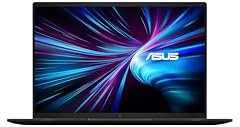
ASUS V16 16" WUXGA 144Hz Gaming Laptop
- CPU
- Intel Core 7 240H
- GPU
- RTX 5070
- RAM
- 16 GB
- Storage
- 1000 GB
- Screen
- 16 in
- Refresh
- 144 Hz
- Weight
- 1.95 kg
- OS
- Windows 11
$1,536.39 (as of 11/01/2026 21:49 PST - Details)
It is the last 16GB pick without a stated graphics memory figure in pool order. Its 1.95kg stated weight is the lightest among the 16GB group, which makes it the pick to note for carrying.
Pros
- 1.95kg stated weight, lightest among the 16GB picks
- 16GB RAM
- RTX 5070 named in the graphics line
- 1TB storage
Cons
- Graphics memory not stated by the seller
- 16GB RAM is the lower tier in this guide
Good fit if
- Editors who want 16GB of RAM at a light stated weight
- Anyone who wants an RTX 5070 line with 1TB
Skip if
- Someone who wants more than 16GB of RAM
- Someone who wants an 18-inch screen
Verdict: The ASUS V16 with 16GB of RAM and a 1.95kg stated weight closes this guide.
Side by side
| # | Laptop | CPU | GPU | GPU memory | Rentable GPU model | RAM | Storage |
|---|---|---|---|---|---|---|---|
| 1 | ASUS TUF 18 AI Gaming Laptop | AMD Ryzen 7 260 | GeForce RTX 5060 | 8 GB | not stated | 64 GB | 2000 GB |
| 2 | ASUS TUF 18 AI Gaming Laptop | AMD Ryzen 7 260 | GeForce RTX 5060 | 8 GB | not stated | 64 GB | 1000 GB |
| 3 | ASUS ROG Strix G18 18” Gaming Laptop | Intel Core Ultra 9 275HX | RTX 5070 Ti | 12 GB | not stated | 32 GB | 2000 GB |
| 4 | ASUS TUF 16" FHD+ | Intel Core i7-14650HX | GeForce RTX 5060 | 8 GB | not stated | 32 GB | 1000 GB |
| 5 | ASUS ROG Strix SCAR 18 | Intel Core Ultra 9 275HX | GeForce RTX 5090 | not stated | not stated | 32 GB | 2000 GB |
| 6 | ASUS ROG Strix G18 Gaming Laptop | AMD Ryzen 9 9955HX | RTX 5070 | not stated | not stated | 32 GB | 2000 GB |
| 7 | ASUS TUF F16 Gaming Laptop RTX 5050 115W | Intel Core i5-13450HX | RTX 5050 | not stated | not stated | 32 GB | 2000 GB |
| 8 | ASUS ROG Strix G18 | Intel Core i9 | GeForce RTX 5070 | not stated | not stated | 32 GB | 1000 GB |
| 9 | ASUS TUF F16 Gaming Laptop | Intel Core i7-14650HX | GeForce RTX 5060 | not stated | not stated | 32 GB | 1000 GB |
| 10 | ASUS ROG Strix G16 | Intel Core Ultra 9 290HX | GeForce RTX 5080 | not stated | not stated | 32 GB | not stated |
| 11 | ASUS TUF 18 AI Gaming Laptop | AMD Ryzen 7 260 | GeForce RTX 5060 | 8 GB | not stated | 16 GB | 2000 GB |
| 12 | ASUS ROG Strix G16 | Intel Core i7 | GeForce RTX 5060 | not stated | not stated | 16 GB | 1000 GB |
| 13 | ASUS ROG Strix G16 | AMD Ryzen 9 9955HX | GeForce RTX 5070 | not stated | not stated | 16 GB | 1000 GB |
| 14 | ASUS V16 16" WUXGA 144Hz Gaming Laptop | Intel Core 7 240H | RTX 5070 | not stated | not stated | 16 GB | 1000 GB |
How we picked
The pool for this guide holds 30 ASUS listings whose graphics line names an RTX card. From that pool this guide picks 14 configurations that differ in a stated detail: RAM, storage, screen size or operating system, which keeps near-duplicate entries out of the list. The rankings order picks by stated RAM (most first), then by stated graphics memory (most first; listings that do not state a figure come after any that do), then by stated storage (most first), and finally by the order the listings appear in the pool; a listing with no stated RAM would come last. Under that rule the top pick is the ASUS TUF 18 AI with 64GB of RAM. The guide compares laptops only on the details stated in each listing and on the live prices printed on this page.
How to choose
RAM for long timelines
RAM is the stated detail editors should weigh first, because it is room for a long timeline, many open programs and large media files. The picks in this guide state from 16GB to 64GB of RAM. 64GB is what the top pick offers; 32GB covers most multi-track projects; 16GB suits shorter timelines and lighter workloads. Plain advice, not a measured result: the guide ranks by stated RAM because more memory gives an editor more headroom.
Graphics name and graphics memory
Every pick names an RTX card from NVIDIA, from RTX 5050 up to RTX 5090, and some listings also state graphics memory, from 8GB to 12GB on this list. The graphics name tells you the line; the stated graphics memory is a number and nothing more. A larger stated figure is more memory. In the pool behind this guide, 14 of the 30 listings state a graphics memory figure, so a missing figure is just a listing that does not say. NVIDIA's own Studio page describes what RTX GPUs offer creators.
Storage for footage and an external drive
Storage is room for footage and project files; the picks state 1TB or 2TB. 4K and high-bitrate footage fills a drive quickly, so an external drive for raw clips is a sensible part of a workflow. A listing that states 2TB gives more built-in room than one that states 1TB; a listing with no stated storage leaves the figure to the seller.
Screen size, weight and where you edit
A larger screen, 18 inches in many picks here, shows more of a timeline at once. A smaller 16-inch screen is easier to carry, and so is a lighter stated weight: the picks range from 1.76kg to 3kg stated. Whether you edit at a desk or on the road decides which trade-off matters more. Some listings do not state a weight; this guide writes not stated by the seller for those.
Windows 11 Home or Pro
All picks in this guide state Windows 11 Home, Windows 11 Pro or Windows 11. Microsoft's own comparison page describes the differences between Home and Pro; the guide notes which version each listing states and does not judge one as better for editing. Windows 11 Pro appears on several of the 32GB and 64GB picks here.
What this guide leaves out (and why)
The catalogue behind this guide has no data on export times, color accuracy, cooling, build quality or which editing programs a laptop runs. Those claims would be guesses, and this site does not guess. Program makers publish their own pages: Blackmagic Design describes DaVinci Resolve, and NVIDIA's Studio page describes RTX for creators. For anything not stated in a listing, the guide says not stated by the seller.
Questions
Does this guide cover export times, color accuracy or whether an editing program runs?
No. The catalogue records only what each seller states: brand, RAM, storage, screen size, weight, operating system, processor, graphics and battery capacity. It has no data on export times, color accuracy, cooling or program compatibility. Program makers publish their own requirements pages, and this guide does not guess beyond the stated details.
Why do several ASUS TUF 18 AI listings look almost the same?
The pool holds many configurations of one base listing, differing in RAM, storage and operating system. This guide picked configurations that differ in a stated detail, such as 64GB with 2TB, 64GB with 1TB, and 16GB with 2TB. Each pick's listing should be read for its exact figures. Where a title and the stated details differ, the stated details are used here.
What does the stated graphics memory figure mean?
Graphics memory is a number some listings state, from 8GB to 12GB among these picks. A larger number is more memory, nothing more. About 14 of the 30 pool listings state a figure; the rest do not, and this guide writes not stated by the seller rather than filling one in.
Which Windows version should an editor choose?
The picks state Windows 11 Home, Windows 11 Pro or Windows 11. Microsoft's comparison page describes what each version offers. For editing, the stated difference is the version itself; whether you need Pro features is a decision about your workflow, not about editing speed. This guide reports the stated version and leaves the choice to you.
Is DaVinci Resolve covered in this guide?
DaVinci Resolve is an editing program an editor may plan to use; Blackmagic Design's own page describes what it offers. This guide does not claim that any pick runs it, meets its requirements or is certified for it, because the catalogue has no data on program compatibility. The comparison here is limited to the stated details of each listing.
Recent updates
- : First published.